Initialize VPC, NAT Gateway and Security Groups
In this step, we will set up the entire network infrastructure for the Rookwork project, consisting of 3 main parts:
- Create the VPC using the “VPC and more” feature
- Create the NAT Gateway for the Private Subnet to connect to the internet
- Create Security Groups in a layered model for the ALB and Backend
Part 1 – Initialize the VPC
Step 1: Access the VPC Service
- Log in to the AWS Management Console, making sure you are in the Asia Pacific (Singapore)
ap-southeast-1region. - Search for VPC in the top search bar → select Your VPCs → click Create VPC.
Step 2: Configure the VPC with “VPC and more”
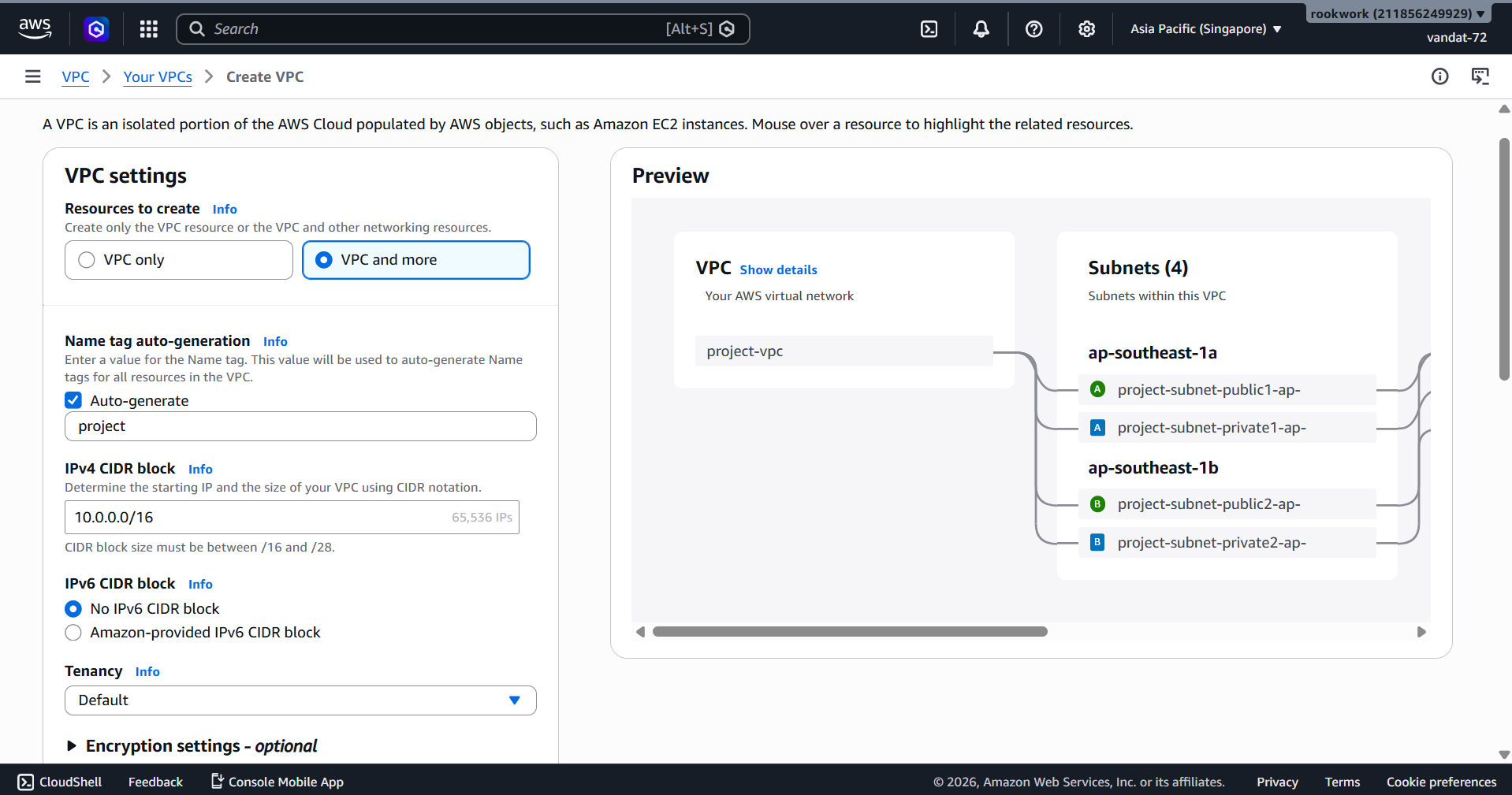
- For Resources to create, select
VPC and more(not “VPC only”). - Enter the configuration parameters according to the table below:
| Parameter | Value |
|---|---|
| Name tag auto-generation | rookwork |
| IPv4 CIDR block | 10.0.0.0/16 |
| IPv6 CIDR block | No IPv6 CIDR block |
| Tenancy | Default |
| Number of Availability Zones | 2 (ap-southeast-1a and ap-southeast-1b) |
| Number of public subnets | 2 |
| Number of private subnets | 2 |
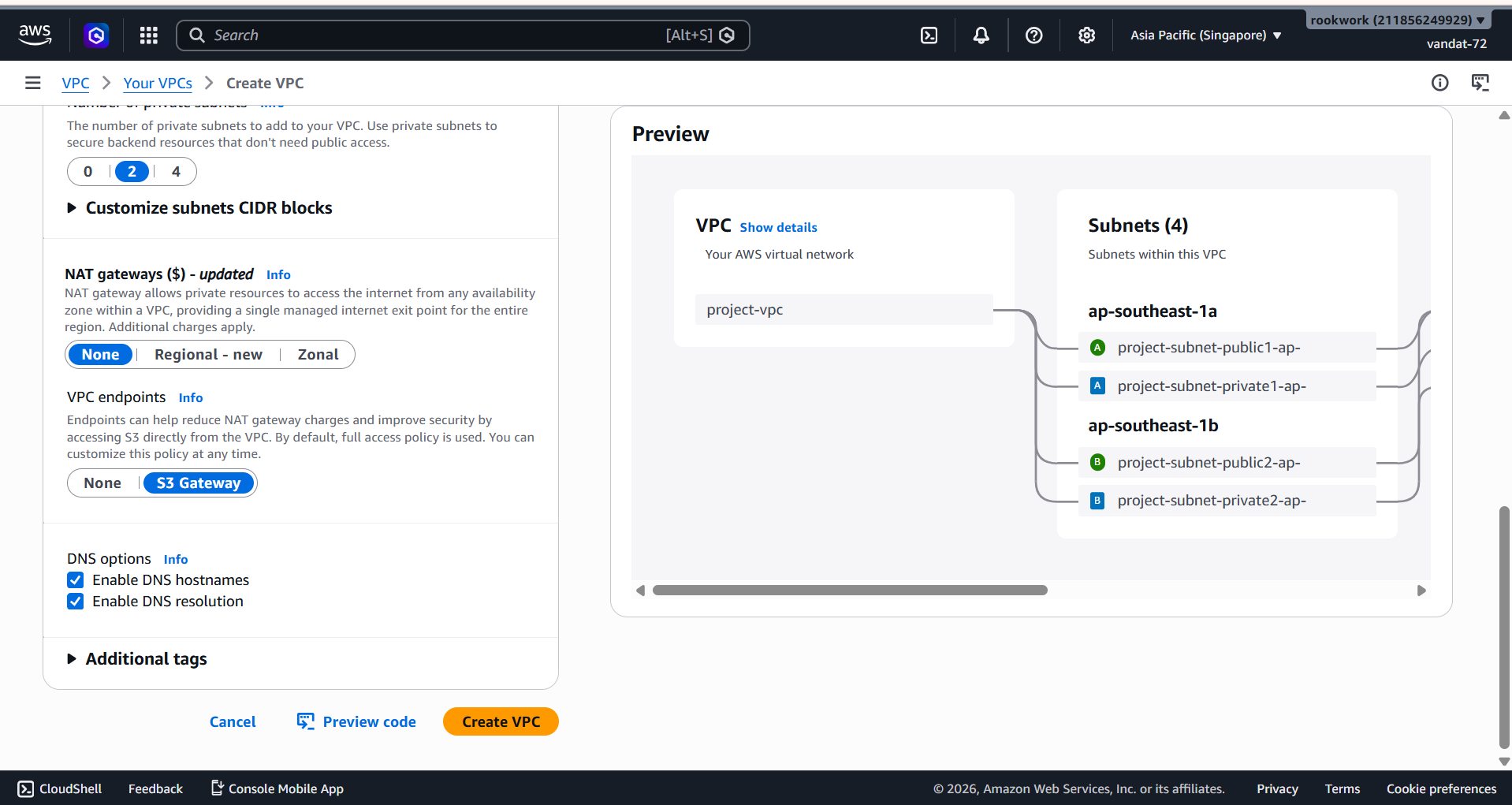
| NAT gateways | None (to be created separately in Part 2) |
| VPC endpoints | S3 Gateway |
| DNS hostnames | Enable |
| DNS resolution | Enable |
The right side of the screen will display a Preview of the VPC diagram containing 4 Subnets across 2 AZs.
- NAT gateways: Select
None(we will create this manually in Part 2). - VPC endpoints: Select
S3 Gatewayto create a VPC Endpoint for connecting to S3 internally without going through the internet. - Keep DNS options at default: Enable DNS hostnames and Enable DNS resolution.
Click Create VPC to deploy.
Part 1 Results
The system automatically generates:
- 1 VPC:
rookwork-vpc— CIDR10.0.0.0/16 - 4 Subnets: 2 Public + 2 Private across 2 AZs
- 1 Internet Gateway:
rookwork-igw - 3 Route Tables: 1 Public + 2 Private
- 1 VPC Endpoint:
rookwork-vpce-s3(S3 Gateway)
[!TIP] After creation, go to Your VPCs → rookwork-vpc → Resource Map tab to verify that the entire network routing is configured correctly.
Part 2 – Create the NAT Gateway
The NAT Gateway allows resources in the Private Subnet (EC2 Backend) to download packages and updates from the internet without exposing their IP addresses.
Step 1: Create the NAT Gateway
- On the left-hand menu under VPC, select NAT Gateways → Create NAT gateway.
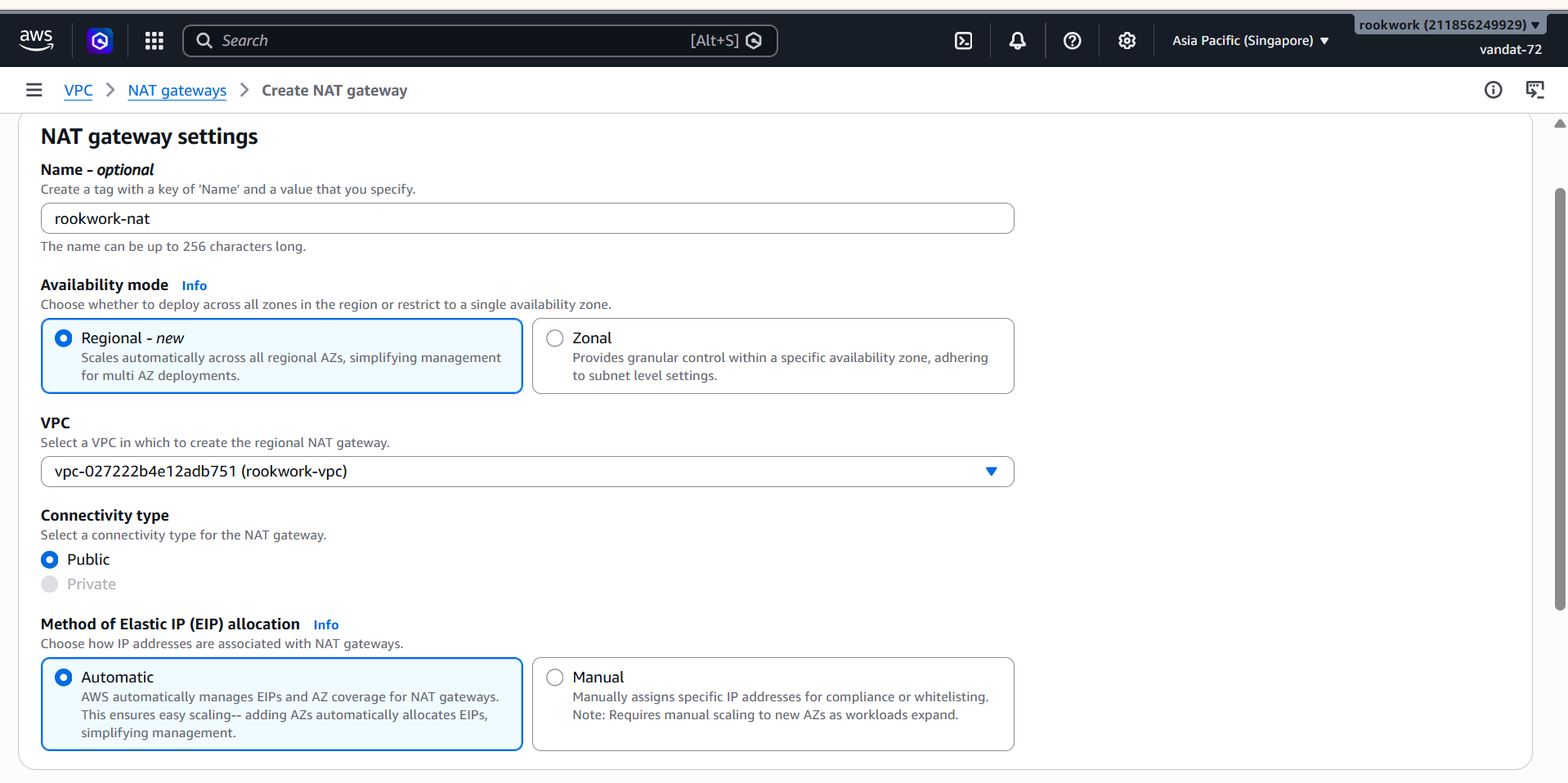
- Enter the configuration parameters:
| Parameter | Value |
|---|---|
| Name | rookwork-nat |
| Availability mode | Regional - new |
| VPC | rookwork-vpc |
| Connectivity type | Public |
| Elastic IP allocation | Automatic |
Step 2: Confirm Tags and Create
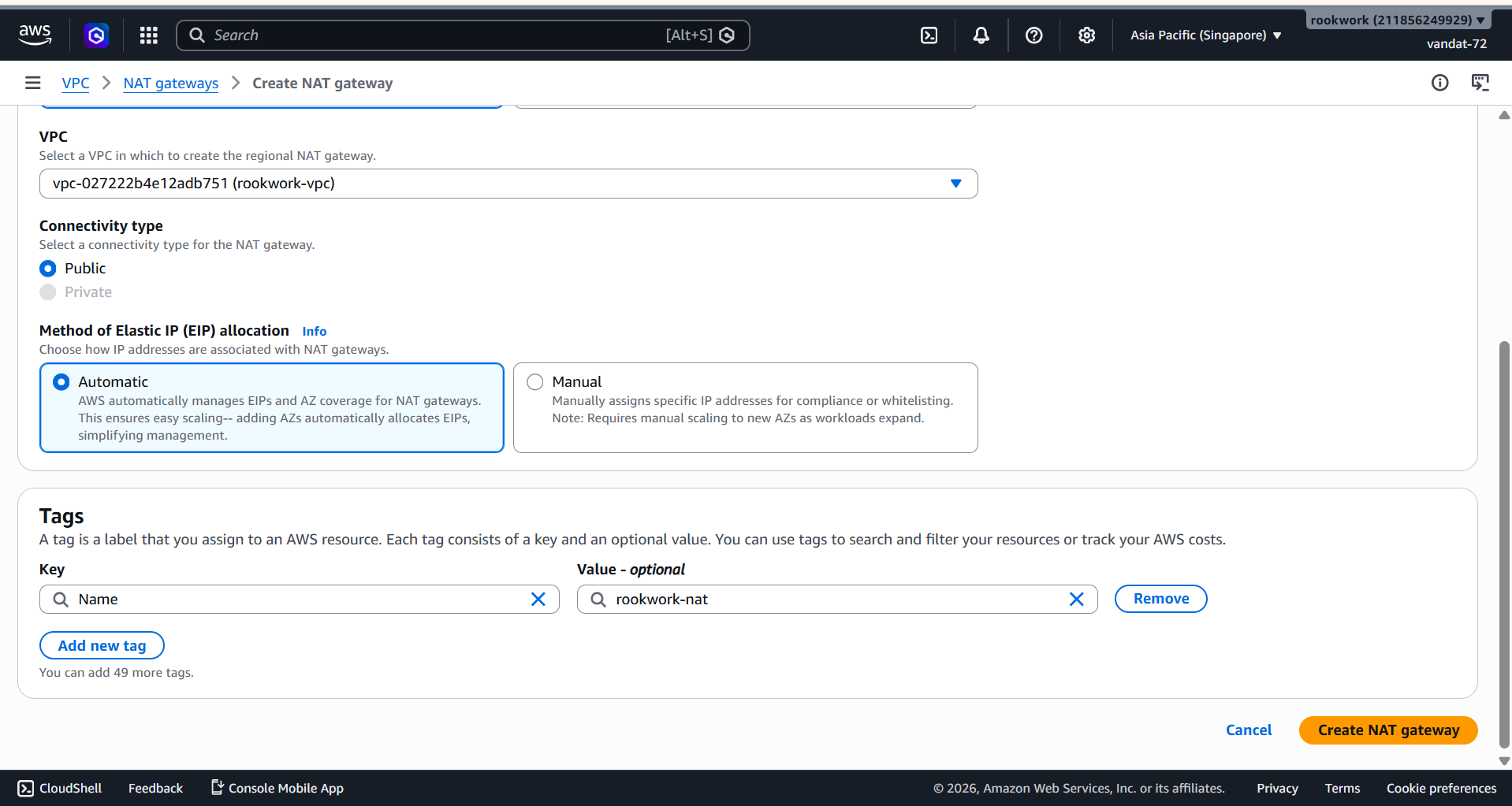
- Ensure the tag
Name = rookwork-natis filled in correctly. - Click Create NAT gateway.
Step 3: Check Status
- Make sure the State column shows ** Available** (green).
- If it is still
Pending, wait 1–2 minutes and refresh the page.
[!NOTE] NAT Gateways are billed per hour and per GB of data processed. Remember to delete this resource after completing the lab in step 5.6 – Resource Cleanup.
Part 3 – Set Up Security Groups
Security Groups act as virtual firewalls at the instance level. We create 3 Security Groups using a layered security model:
rookwork-alb-sg: Opens HTTP/HTTPS ports from the internet → receives user requests.backend-sg: Only accepts traffic fromrookwork-alb-sg→ backend has no direct internet exposure.rds-ec2-1: Only accepts PostgreSQL connections (port 5432) fromec2-rds-1→ RDS is completely isolated from the internet.
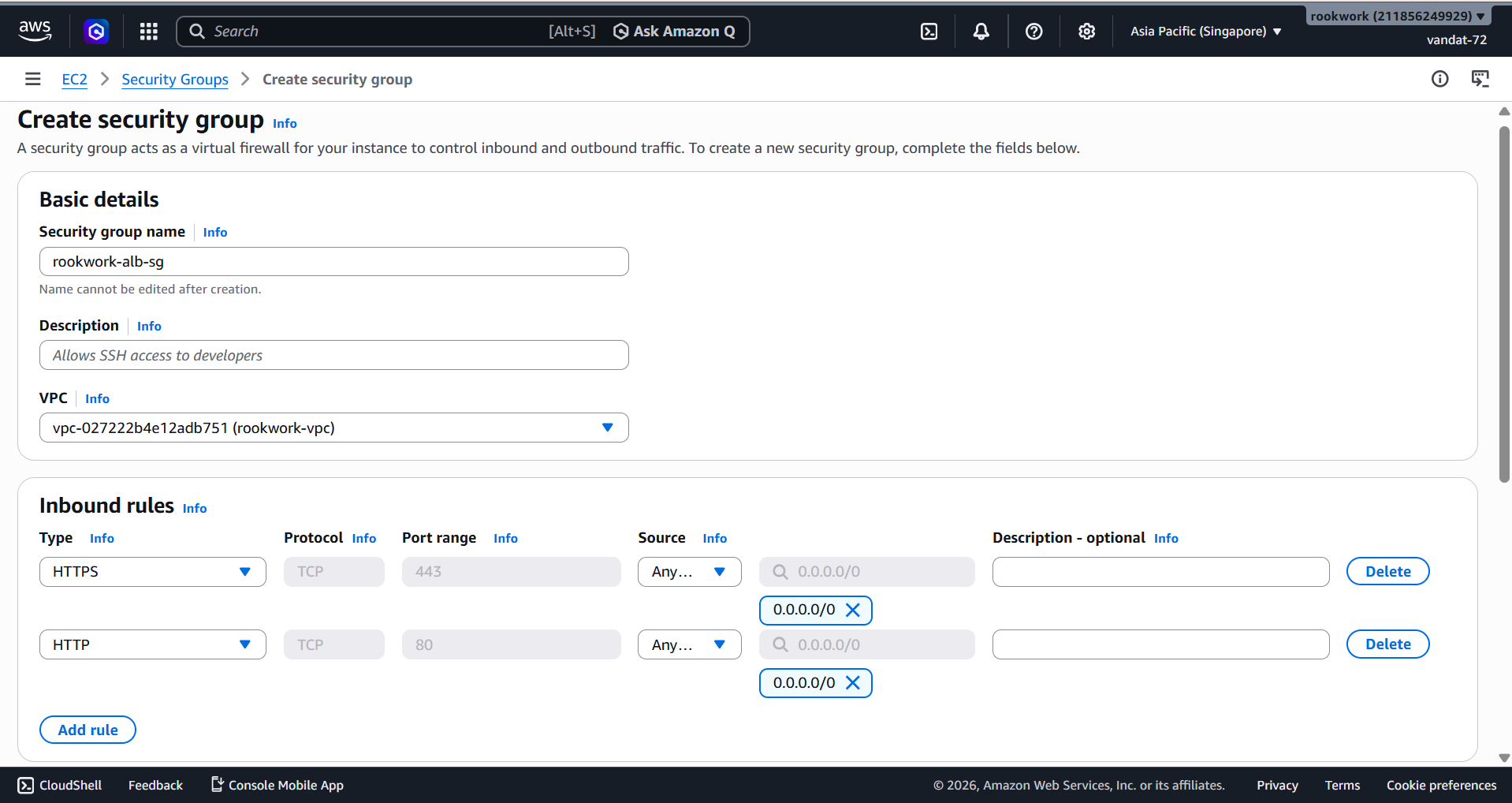
Step 1: Create Security Group for ALB (rookwork-alb-sg)
- VPC Left-hand menu → Security Groups → Create security group.
| Field | Value |
|---|---|
| Security group name | rookwork-alb-sg |
| Description | Security group for Application Load Balancer |
| VPC | rookwork-vpc |
Inbound rules:
| Type | Protocol | Port | Source |
|---|---|---|---|
| HTTPS | TCP | 443 | 0.0.0.0/0 |
| HTTP | TCP | 80 | 0.0.0.0/0 |
Outbound rules: Keep default (All traffic). Click Create security group.
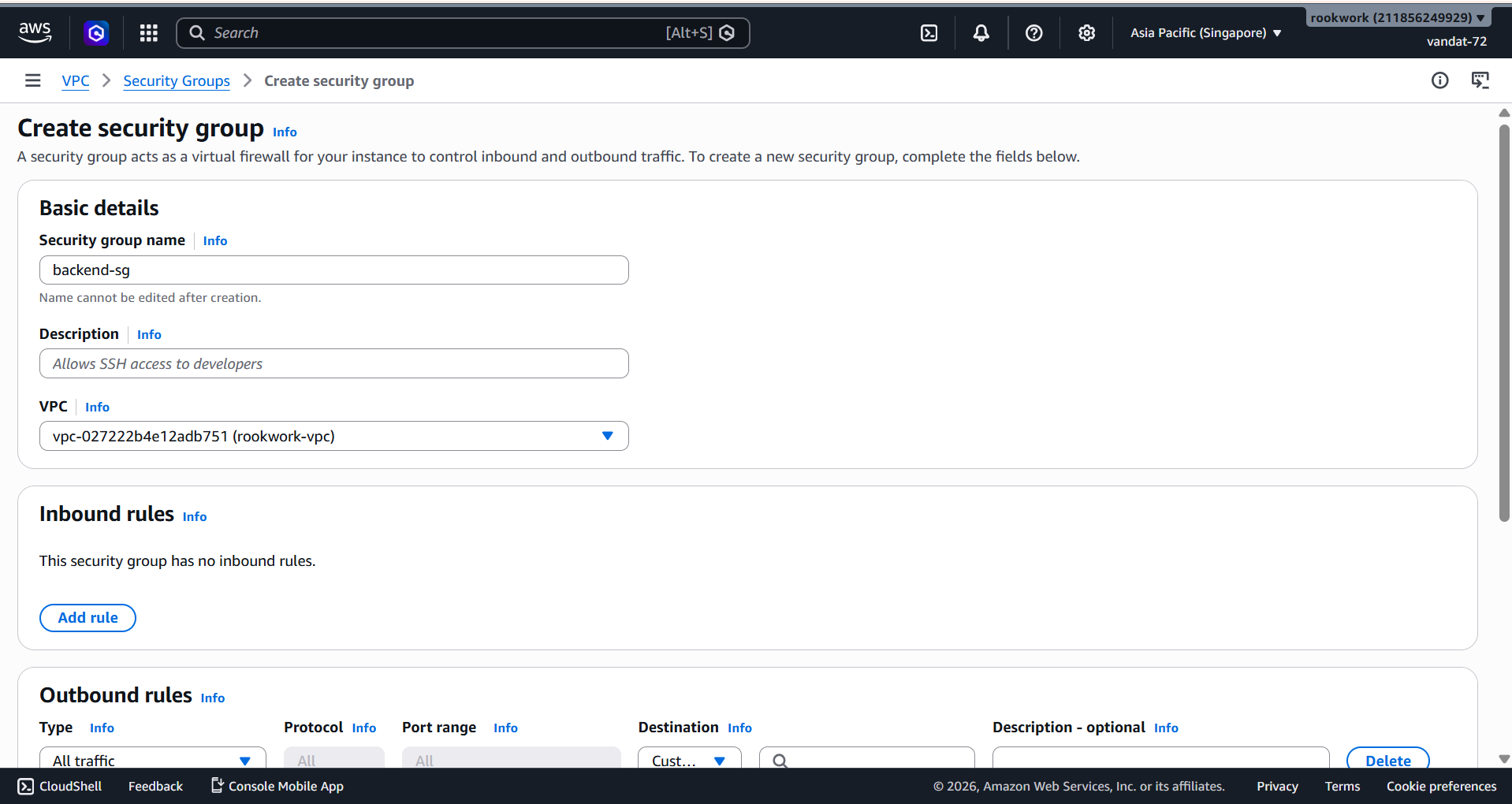
Step 2: Create Security Group for Backend (backend-sg)
- Click Create security group again.
| Field | Value |
|---|---|
| Security group name | backend-sg |
| Description | Security group for Backend EC2 instances |
| VPC | rookwork-vpc |
Inbound rules: Leave empty (to be added in Step 3).
Outbound rules: Keep default. Click Create security group.
Step 3: Add Inbound Rules to backend-sg
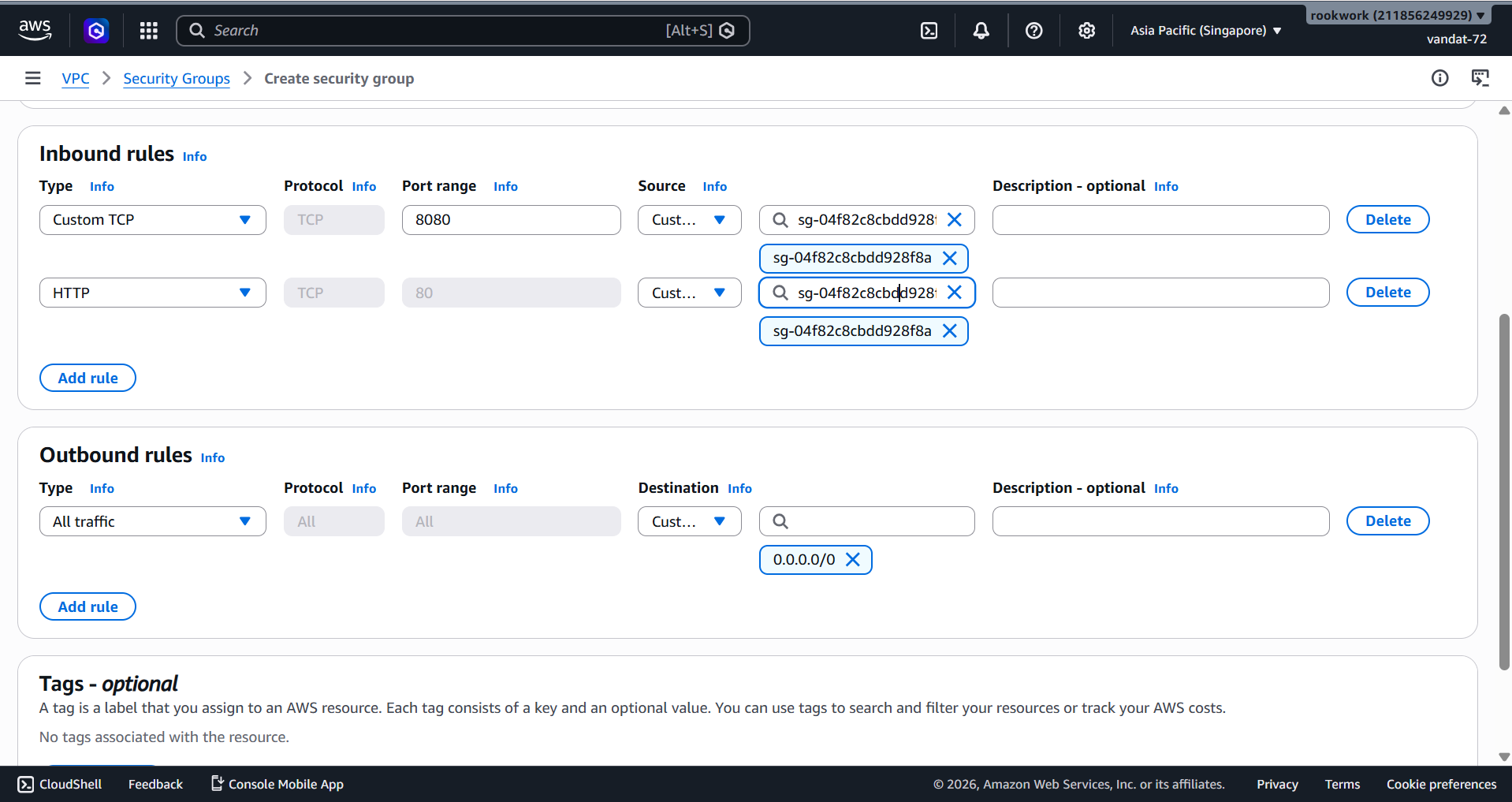
Once rookwork-alb-sg has been created and has a Security Group ID, return to edit backend-sg → Inbound rules → Edit inbound rules:
| Type | Protocol | Port | Source |
|---|---|---|---|
| Custom TCP | TCP | 8080 | rookwork-alb-sg (select SG ID) |
| HTTP | TCP | 80 | rookwork-alb-sg (select SG ID) |
[!IMPORTANT] For the Source, select Custom and enter the name or ID of
rookwork-alb-sginstead of entering a CIDR IP. This ensures the Backend only accepts traffic from the Load Balancer, never directly from the internet.
Click Save rules.
Step 4: Create Security Group for RDS (rds-ec2-1)
To protect the database, we create a dedicated Security Group that only allows connections from the EC2 Backend on the PostgreSQL port.
- Click Create security group once more.
| Field | Value |
|---|---|
| Security group name | rds-ec2-1 |
| Description | Security group for RDS PostgreSQL |
| VPC | rookwork-vpc |
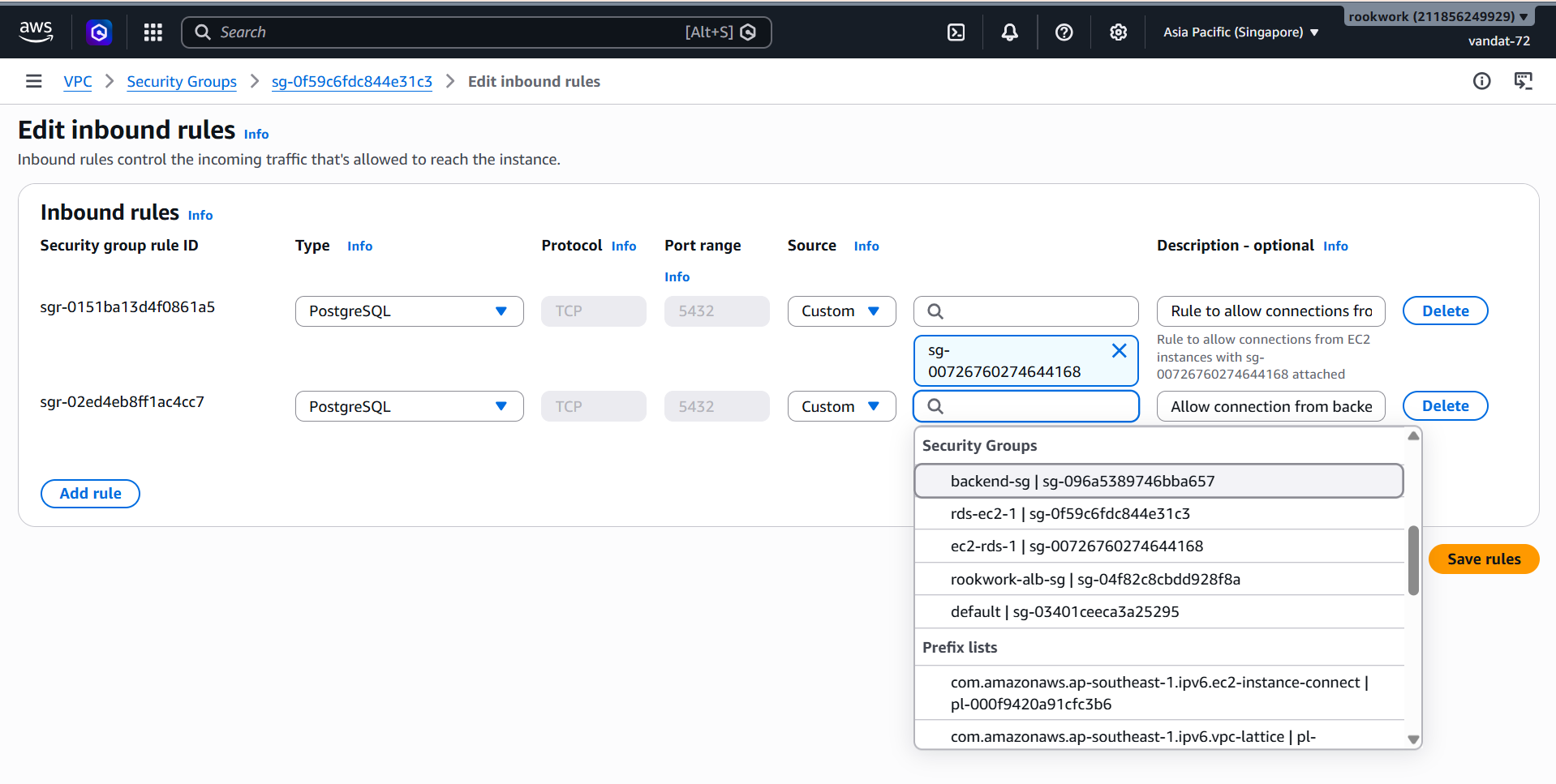
Inbound rules — Add 2 rules:
| Type | Protocol | Port | Source |
|---|---|---|---|
| PostgreSQL | TCP | 5432 | ec2-rds-1 (EC2 Security Group ID) |
| PostgreSQL | TCP | 5432 | backend-sg (Security Group ID) |
[!IMPORTANT] For the Source, select Custom and type the Security Group ID of
ec2-rds-1orbackend-sg. This ensures the RDS only accepts database connections from the EC2 Backend and is never exposed directly to the internet.
Click Save rules.
Summary
After completing all 3 parts, the Rookwork network infrastructure is ready:
| Resource | Name | Status |
|---|---|---|
| VPC | rookwork-vpc | Available |
| Public Subnets | rookwork-subnet-public1/2-... | Available |
| Private Subnets | rookwork-subnet-private1/2-... | Available |
| Internet Gateway | rookwork-igw | Attached |
| NAT Gateway | rookwork-nat | Available |
| VPC Endpoint | rookwork-vpce-s3 | Available |
| Security Group ALB | rookwork-alb-sg | Created |
| Security Group Backend | backend-sg | Created |
| Security Group RDS | rds-ec2-1 | Created |
[!TIP] Defense-in-Depth security model: ALB → Backend → RDS. Each layer only accepts incoming traffic from the preceding layer, ensuring the database is completely isolated from the internet.